
If you already have a welcome series, abandoned checkout, post-purchase and win-back flow, the next move is not automatically another flow.
It might be. But first, look at the automations that already reach customers every day.
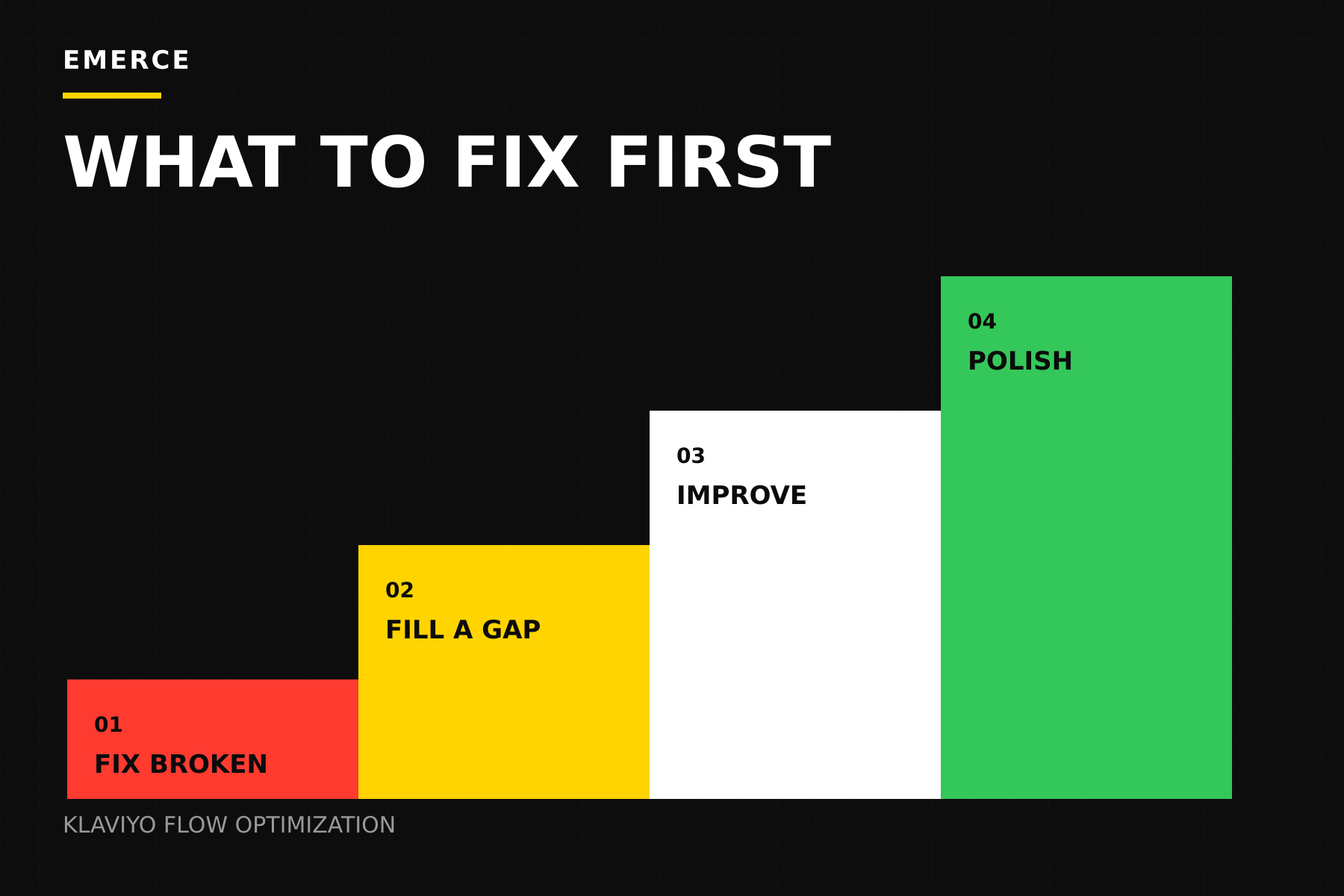
Fix Klaviyo flows in this order:
- Fix what is broken.
- Fill an important gap.
- Make the sequence more useful.
- Improve the design.
This order stops a common mistake: redesigning an email while the trigger, filters, timing or basic purpose is still wrong.
Nice buttons are innocent. They just cannot fix a bad trigger.
Start with one simple sentence
Klaviyo defines a flow as a set of automated actions started by a behavior, event, list entry, date or other data. The platform can support many triggers, filters, delays, splits and messages. That does not mean every possible flow deserves to be built.
Before reviewing the design, finish this sentence:
This flow helps [who] do [what] after [when].
For example:
- This welcome flow helps a new subscriber understand the brand and make a first purchase after signing up.
- This abandoned checkout flow helps a shopper return to the order they left behind.
- This post-purchase flow helps a new customer use the product and decide what to do next. See the post-purchase email strategy guide for a practical way to plan those messages.
If you cannot finish that sentence clearly, the flow does not need a redesign yet. It needs a job.
Step one: fix what is broken
Start with flows tied to important customer moments. For most ecommerce brands, that means the welcome series, added-to-cart, abandoned checkout, post-purchase and replenishment flows where they make sense.
Do not rank them by total revenue alone. A flow that reaches more people will usually have more chances to collect attributed revenue.
Check:
- Is the trigger firing when it should?
- Are the right people entering?
- Are recent buyers excluded when they should be?
- Are emails being skipped for a clear reason?
- Do links, coupons and product blocks work?
- Are clicks turning into orders?
- Is one message causing most of the unsubscribes or complaints?
- Does the landing page match the email?
Klaviyo rechecks profile filters before each flow step. A filter such as “has placed order zero times since starting this flow” can stop a buyer from receiving the next abandoned checkout email. Check that this logic is present and doing what you expect.
When a message gets clicks but few orders, the email may not be the only problem. Check the landing page, offer, inventory and mobile checkout too. The website sometimes takes the baton and drops it. Very team-oriented.
Fix clear mistakes before building anything new.
Step two: fill an important gap
Once the main flows work, look for useful customer moments that currently get no follow-up.
Examples include:
- A subscriber signs up but never gets useful product education.
- A first-time buyer gets the same follow-up as a repeat customer.
- A product needs setup or care help, but the post-purchase flow only asks for another order.
- A repeatable product has no replenishment reminder.
- A shopper shows strong interest in a category, but every follow-up stays generic.
- A known buying objection is never answered.
Klaviyo recommends starting with high-impact flows such as welcome, abandoned cart, post-purchase and win-back. Its flow library includes many more options, but the template is only the starting point. The customer moment still needs to be real.
Build a new flow when four things are true:
- Customers reach the moment often enough to matter.
- Klaviyo can identify the moment reliably.
- An email or SMS can genuinely help.
- The likely value is worth the upkeep.
If one of those is missing, the idea may belong in a campaign, on the website or in the parking lot.
The parking lot is allowed to have visitors. It does not need to become a construction site.
For product-page follow-ups, see our browse-abandonment email strategy guide.
Step three: make the sequence more useful
Now look at what each message adds.
A three-email flow should not be the same reminder three times with different subject lines. Each message should move the customer forward.
Remind
Show the product and make it easy to return.
Answer
Handle an objection or add useful proof.
Help
Give a real reason to act, if one exists.
Klaviyo’s abandoned-cart guidance recommends keeping the message focused on the items left behind and using filters to stop messages after a purchase. Both are basic. Both are also easy to miss.
Look for:
- Repeated emails that add nothing new
- Generic messages after a specific customer action
- Offers shown before the main objection is answered
- Long copy that hides the product or next step
- Recent buyers receiving acquisition-style emails
- Branches that make the flow harder to manage without making the experience better
- Delays that are too short, too long or simply copied from a template
Klaviyo notes that flow steps run in order and delays control when each step happens. If messages sit back-to-back without a delay, they can happen at the same time. That is usually a quick way to make the automation feel less automated and more confused.
Step four: improve the design
Design matters. Clear hierarchy, good product imagery, readable type, useful proof and an obvious CTA can all improve a flow.
Design comes fourth because it cannot repair:
- The wrong trigger
- Missing filters
- Bad timing
- A broken discount
- An irrelevant message
- A flow with no clear purpose
Once those basics work, improve one high-volume message at a time.
Check:
- Subject line and preview text
- The first screen on mobile
- Button size and spacing
- Product-image relevance
- Proof and objection handling
- Dynamic-content fallbacks
- Alt text and accessibility
- Brand consistency
- A clean test plan
Do not redesign every flow at once. Pick one useful change and measure it properly. A full account makeover creates plenty of activity and very little idea of what worked.
Use a quick score before choosing the work
Score each flow from one to five on these questions:
- 01
How often does it run?
Give more weight to flows that reach customers every day or at high volume.
- 02
How valuable is the moment?
A checkout or first-purchase moment usually matters more than a vague browse.
- 03
How clear is the problem?
Prioritize problems you can see in data or QA over interesting guesses.
- 04
How bad is the customer experience?
A wrong email, bad timing or broken path deserves attention.
- 05
How hard is the fix?
A focused repair may beat a large rebuild with a fuzzy payoff.
The score is not sacred maths. It simply makes the tradeoffs visible before the loudest idea wins the meeting.
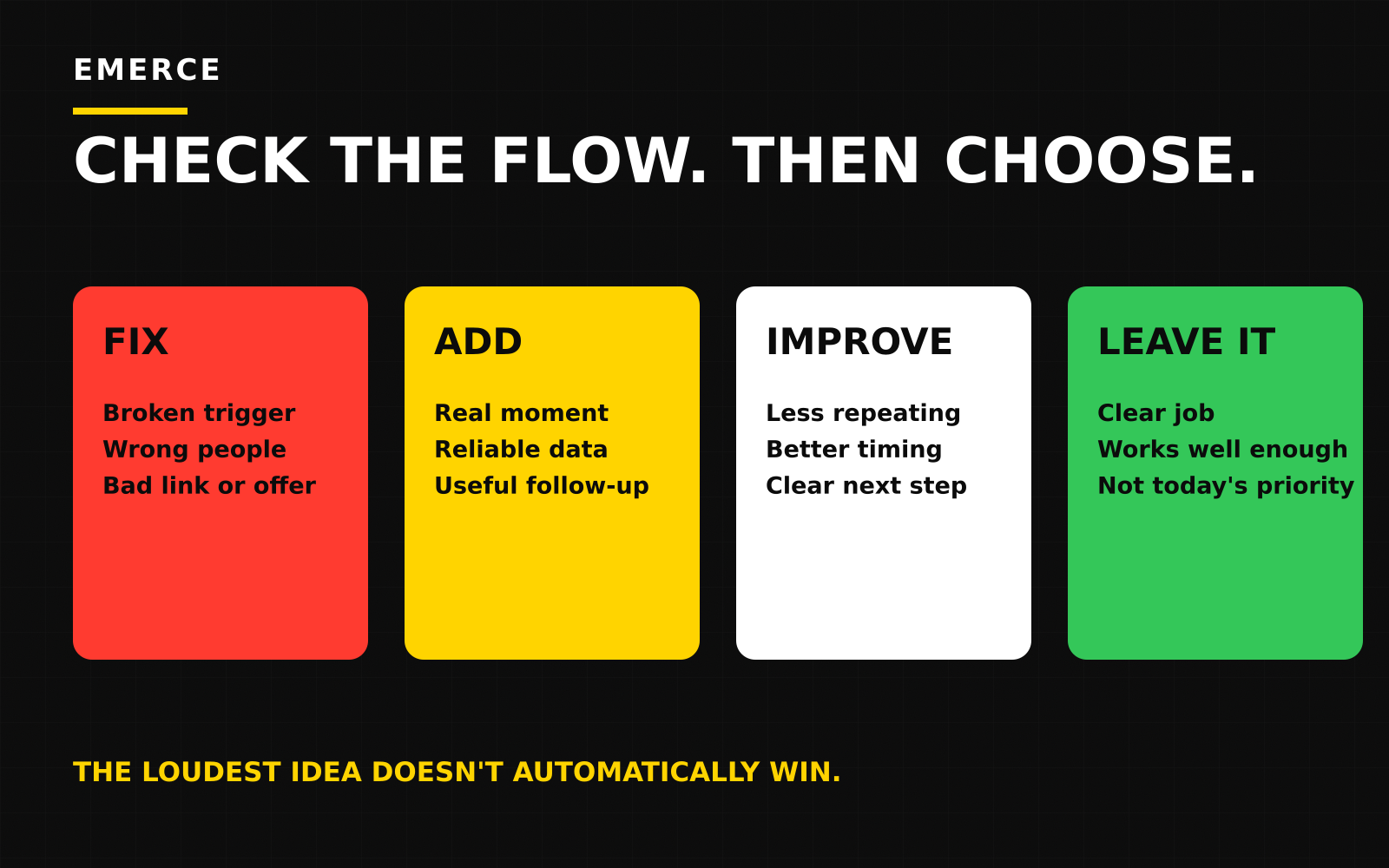
Give every flow one decision
After the review, choose one:
- Fix: Repair the trigger, filters, links, timing or another clear problem.
- Add: Build a flow for an important customer moment that is currently missing.
- Improve: Make the existing sequence more useful or add one justified message.
- Leave it alone: The flow has a clear job and is working well enough for now.
“Leave it alone” is a proper decision. Your Klaviyo account does not improve because every flow is permanently under construction.
A simple 30-day plan
- 01
Review the main flows
Choose one clear priority.
- 02
Fix the basics
Repair the trigger, filters, timing, links or checkout path.
- 03
Improve the message
Make the sequence more useful or add one useful step.
- 04
Review the early result
Choose the next test.
The goal is not to finish your flow library. There is no finish line. There is only an increasingly impressive list of things to maintain.
The goal is to improve the automated moments that matter most.
The Inbox Operating System
Make flow work easier to choose.
If your flow backlog is driven by whichever template looked interesting this week, the Inbox Operating System gives you a clearer way to plan, create, check and improve your email program.
Explore the operating systemFor more context, use the Klaviyo audit checklist, review the campaign portfolio, check the email engagement ladder or run the free Email Revenue Operating Audit.
Sources