
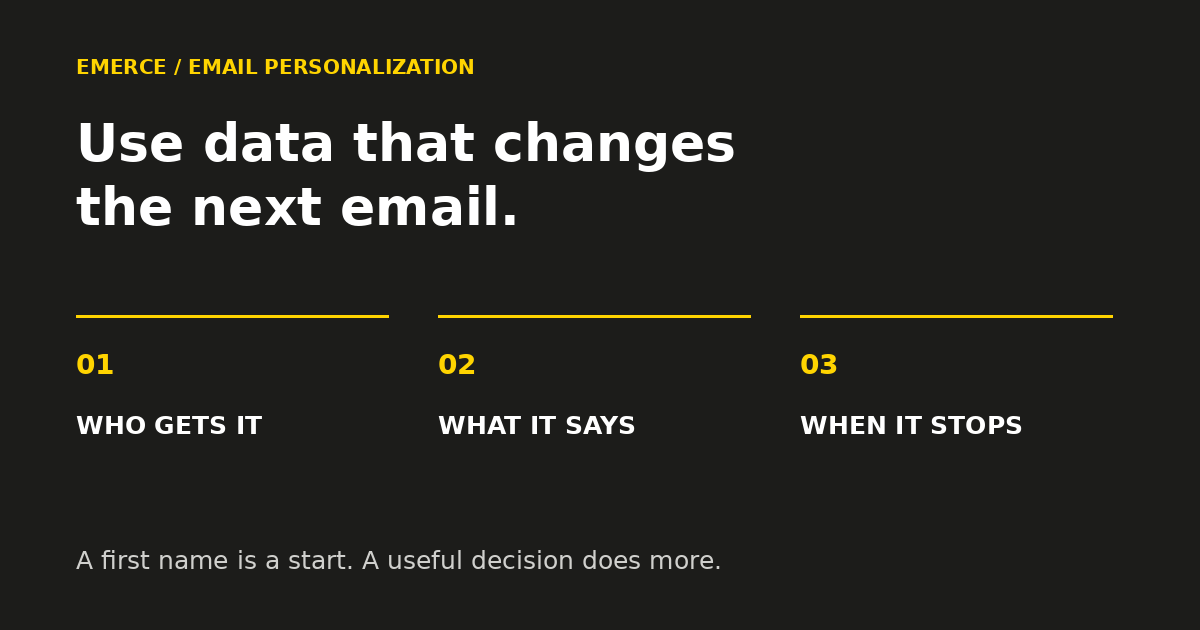
Personalization is useful when it changes a decision. Who should get this email? What would help them? When should it arrive? When should it stop?
A first name can make a greeting feel warmer. It cannot tell you whether someone already bought the product you are about to recommend.
Start with data that changes the customer's experience. For most ecommerce brands, that means purchase history, the action that started the email, preferences the customer actually chose, and whether the information is still current. Add more detail when you have a clear use for it.
You do not need a fuller profile for the sake of a fuller profile. You need fewer emails that make the customer think, “Didn't I just tell you that?”
Give each piece of data a job
Before adding a field to a form or a rule to a flow, finish this sentence:
Because we know this, we will change ______.
Good answers include the product shown, the explanation given, the timing, the audience, or the decision to skip the email. “We can put it in a dashboard” is a less promising answer.
Use this working table to choose your first improvement. These are examples of decisions to configure, not claims that every account already collects or supports the data.
| Customer data | Useful change | Check before using it |
|---|---|---|
| Bought before | Change a first-order introduction into a useful next step | Are orders matched to the right profile? |
| Product purchased | Send relevant setup or care advice | Can the order data identify the product accurately? |
| Checkout started | Show the unfinished order in a relevant automated reminder | Does the trigger contain the needed items and links? |
| Customer-selected interest | Lead with the category they asked for | Is the choice explicit, current and editable? |
| Recent purchase | Stop acquisition reminders that no longer make sense | Will the rule catch purchases after the flow starts? |
| Size, fit or other product choice | Make recommendations more useful | Was the choice for this customer, a gift, or an old order? |
Pick one row where the wrong experience is common enough to matter. Fix that before building six new branches.
Start with what the customer has already done
Purchase history often changes the message more than a name does.
A new subscriber who has never bought may need help choosing a first product. A subscriber who bought yesterday may need delivery expectations or help using the order. Sending both people the same “make your first purchase” message wastes an opportunity to be useful.
Here is a synthetic example. A kitchenware store has two subscribers who joined the same list this morning. One has no orders. The other bought a cast-iron pan yesterday and joined for care tips.
The first subscriber could receive a short buying guide. The second could receive seasoning and cleaning advice for that pan. Their names are the least interesting difference.
Keep the recommendation tied to what you know. A gift order does not prove a lasting personal interest. One purchased size does not prove every future product will fit. When the evidence is thin, offer a choice rather than announce a conclusion.
Separate stored customer facts from the event that starts an email
In Klaviyo, profile properties describe the person. Event data describes an action, such as a particular checkout or order. Use the preview panel to inspect which data the message can actually use.
This distinction matters when reusing a template. Klaviyo supports event personalization in flows triggered by the relevant event. A regular campaign does not have that same triggering event. Copying a checkout email into a campaign does not bring the shopper's checkout along with it.
Treat these as separate questions:
- What do we know about this customer now?
- What happened in the event that started this sequence?
- What could have changed since then?
The third question is easy to miss. A shopper can buy after starting checkout. An interest can change. A product can sell out. Write and configure the follow-up for the situation at send time as far as your platform and data allow.
Make welcome emails change after a purchase
A welcome flow is an automated email sequence triggered by a defined signup action, such as joining a particular list. Once configured, the system runs the sequence. A marketer does not sit there watching signups and sending each email by hand.
Start by defining the signup promise. A discount signup, a product guide signup and a general newsletter signup may create different expectations. Preserve the promise the customer was shown.
Then decide what changes when someone buys. That might mean stopping later first-purchase reminders, sending a different message, or leaving a useful brand introduction in place. The right choice depends on the message. Buying should not automatically remove someone from information they still need.
For a simple first version:
- Deliver what the signup promised.
- Before a later acquisition message, use a configured rule to check whether a purchase changes its purpose.
- Skip or change the message when it is no longer relevant.
- Leave useful service or product education in the appropriate sequence.
Check the timing of every condition in your actual setup. An entry check alone cannot account for something that happens later. Previewing a branch also does not prove its filters will behave correctly in production.
Our welcome-flow strategy guide covers the job of each email. The personalization decision here is narrower: which fact should change that job for this customer?
Ask for preferences you can act on
A question earns its place when the answer changes something useful.
“What are you shopping for?” can help a store lead with the right category. “How experienced are you?” may help a technical product brand choose between basic setup advice and more advanced uses.
Do not ask for five details and then send everyone the same sequence. That is a survey with a mailing list attached.
Write the decision before adding the question. For example: “Subscribers who choose beginner advice receive the setup guide first. Everyone else receives the standard introduction.” Make the default useful too. People who skip an optional question still deserve a sensible email.
Keep the choice editable where practical. A customer's stated interest is useful context, not a permanent identity. Do not treat an interest choice as permission for an unrelated marketing channel.
Build for missing and messy data
Personalization has to work when the field is blank.
Klaviyo supports default values for personalization. For a greeting, a neutral opening may be better than an awkward substitute. For a recommendation, use a useful general category or omit the block when you cannot make a sound choice.
Decide the fallback before adding the personalized version. Otherwise the most carefully designed email is reserved for the people with perfect records. Those people are a lovely idea.
Review a small set of cases before launch:
- A profile with the expected data.
- A profile without it.
- A repeat buyer and a first-time shopper.
- A customer whose latest action makes the old message irrelevant.
- A record with an unexpected value, where safe test data is available.
Klaviyo's preview and test guidance explains how to preview profile or supported event data. Use representative records, check mobile layout and inspect the actual destination links. Keep private customer details out of shared review materials.
Test the decision, not just the greeting
Choose one change and one primary result before testing.
For a post-purchase care email, the useful result might be clicks to the care guide, alongside support feedback you can reliably connect to the change. For a product recommendation, it might be orders per eligible recipient, with unsubscribes and complaints checked alongside it.
Keep eligibility, timing and offers comparable when testing the content. If one version goes to recent buyers and the other goes to everyone, you have changed the audience too. The result cannot isolate the personalized copy.
Record who qualified, what changed, how long you measured and the limitations. Attributed revenue alone does not prove the change caused more orders. Use a suitable control or holdout when the decision requires that evidence and the test is practical.
Your next useful personalization change
Open one high-volume automated sequence. Find a message that becomes wrong after a customer buys, chooses a preference or completes the action it asks for.
Write down the fact, the change it should cause, the fallback and the way you will check it. Configure and test that one improvement before adding more fields.
If the sequence itself needs work, use our Klaviyo flow-optimization guide to decide what to fix first. Personalization should make a useful email more useful. Start by making sure the email has a useful job.