
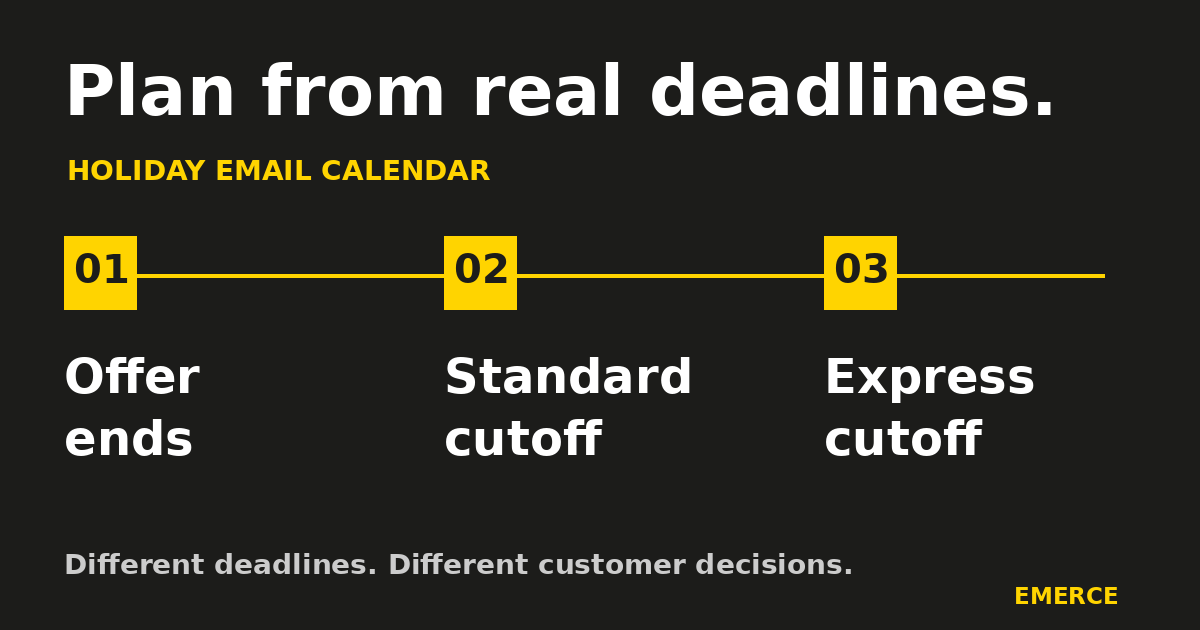
Build your holiday email campaign calendar from the dates that change what a customer can buy, pay or receive. Confirm when each offer ends, when orders must be placed for each delivery option, and what remains available after those deadlines. Then work backward to choose the emails and their audiences.
An offer ending and a shipping cutoff are different events. One changes the price. The other changes the delivery options. Calling both “last chance” without saying what ends leaves customers to do the sorting.
Start with the promise. Add the send dates afterward.
Write down the deadlines before adding campaigns
Ask the people responsible for offers, stock and fulfillment to confirm the facts. Marketing should not discover the warehouse's holiday hours in a reply to the final-order email.
For each deadline, record:
- The exact date, time and time zone.
- What ends: an offer, a shipping service, a collection option or something else.
- Which products and destinations qualify.
- The conditions customers need to know.
- Who confirmed it and when it must be checked again.
- What the customer can still do afterward.
Keep the source beside the date. That might be the approved promotion brief, an internal fulfillment confirmation or a current carrier service notice. A date copied from last year's plan is a question to resolve, not a deadline to announce.
Your order cutoff needs to account for getting the order ready as well as transporting it. Shopify's shipping-policy guidance separates processing time from transit time and recommends explaining processing-day exclusions and cutoff times. Use the actual rules for your store, including any product or destination exceptions.
Do not copy a carrier's last shipping date straight into an email as your store's last order date. The parcel still has to leave the building. “Expected arrival” and “guaranteed delivery” also make different promises. Use wording your fulfillment team can support.
Give each deadline its own message
Use a simple table to separate the customer decisions. This example is a fictional planning pattern, not a recommended send count or a real shipping schedule.
| Event | What the customer needs to know | Possible email | What changes afterward |
|---|---|---|---|
| Offer opens | Eligible products, savings and conditions | Explain the offer and help people choose | The offer remains available until its stated end |
| Offer ends | Exact end time and what price changes | Remind eligible people who have not bought | Remove the expired offer from later messages |
| Standard delivery cutoff | Eligible destinations and order-by time | Explain the final standard-delivery order window | Stop presenting standard delivery as available for that arrival date |
| Express delivery cutoff | Availability, cost and order-by time | Explain the remaining delivery option | Change the message again when that option closes |
| Physical-delivery window closes | What can still be bought or received in time | Offer a verified alternative, if one exists | Stop making the expired arrival promise |
A store with collection or digital gift cards may have another useful option. A store without either does not need to invent one to fill the calendar. Confirm availability and any delivery or redemption conditions before recommending it.
This is where the calendar earns its keep. After each deadline, it should show what the next email can honestly say.
Work backward from the decision
For each event, decide what someone needs before acting. A gift guide may help them choose. An offer launch explains the deal. A final-order reminder supplies a deadline they can use.
These jobs do not automatically require three separate sends. If the product is familiar and the audience is narrow, one clear message may cover the decision. A complicated purchase may need more explanation earlier. Choose the sequence around the purchase, rather than borrowing another brand's daily send count.
Give each proposed campaign a sentence that finishes this thought: “This person gets this email because…”
“They viewed the relevant category and can still order using standard delivery” is useful. “It is December” will qualify rather a lot of people.
Then ask what has changed since the previous email. A different deadline, remaining delivery service, relevant product selection or answer to a common question can justify another message. A new subject line attached to the same expired promise cannot.
The Black Friday email strategy guide covers planning the sale itself. This calendar adds the handoff between offers, delivery deadlines and the messages that must stop when those facts change.
Add recipients and exclusions to every row
A calendar containing only titles and dates cannot tell you what one customer receives.
Record the audience, exclusions and intended next action beside each campaign. Include customer location when delivery eligibility differs. Review recent buyers, people with weak recent engagement and anyone whose permissions or marketing status exclude them. Choose exclusions that fit the message rather than applying one blanket rule to every email.
For example, a recent buyer may have no reason to receive another prompt to buy the same gift. They may still need an order update. Keep the sales reminder separate from necessary service messages.
Use the engagement ladder to decide who has a useful reason to receive a campaign. Check the actual selected profiles and the available data before accepting a segment's name as proof.
Also review automated flows. These are sequences triggered by defined customer behavior or a qualifying event; their messages run automatically after setup. Check which sequences could send alongside the planned campaigns. Configure supported stop, skip and timing rules, then test them. A campaign calendar does not pause a welcome or abandonment sequence by existing nearby.
Check the clock and the recipient snapshot
A reminder can be correct when scheduled and wrong when delivered.
Record both the campaign's sending time zone and the deadline's time zone. If an offer ends at one fixed instant, confirm that every sending window finishes with useful time left. Sending at each recipient's local evening time can put some messages after that fixed deadline.
Klaviyo's scheduling guide describes fixed-zone and recipient-local options. Check the actual strategy in the campaign, including what happens when the local send time has already passed. Do not assume the calendar's displayed time describes every recipient's delivery time.
Check when the recipient list is finalized, too. Klaviyo's recipient-timing guidance distinguishes a snapshot taken after scheduling from one prepared shortly before sending. Later audience changes are not continually added after that snapshot. Verify the selected behavior before relying on a recent-purchase exclusion or a late segment update.
Test the supported sending behavior with your actual setup. A useful exclusion in a planning document is only useful to customers if the send applies it.
Give the final reminder a final check
Before approving a deadline campaign, review the whole buying path:
- Does the subject say what is ending?
- Do the body, button destination, product page and checkout agree?
- Are the relevant products and shipping options still available?
- Is the deadline precise, with a time zone where needed?
- Can the intended recipient still use the offer or delivery option?
- Do scheduled follow-ups, banners and automated messages need to change afterward?
- Who will stop or revise the campaign if the facts change before it sends?
Set a review time close enough to catch meaningful changes. Name the person who can make the call. If fulfillment withdraws a delivery option, the team needs a way to stop the old reminder, not another meeting to discuss whose spreadsheet was right.
Keep any late change in the same record as the original deadline. Note what changed, who confirmed it and which messages were affected. Updating one email while leaving the banner and next reminder untouched creates a surprisingly efficient way to confuse people.
Build the calendar you can maintain
Start with the next offer end and the next confirmed order cutoff. Put them in separate rows. Add the customer promise, audience, exclusions, owner and the message that replaces each one afterward.
Only then add the campaigns. Remove any row that cannot explain who needs it or what new decision it supports.
Your next step is simple: map every holiday offer and real order deadline, then read the proposed emails in the order one customer could receive them. If several claim to be the last chance, make each one say exactly what ends. If nothing new ends, you may have found a campaign you do not need.
Source notes: Shopify and Klaviyo guidance checked November 4, 2026. The planning table and review process are Emerce recommendations, not platform requirements, carrier deadlines or guaranteed outcomes. Confirm current service commitments directly before making a delivery promise.