
Email revenue is down. So someone wants a new subject line.
Maybe it needs one. But a smaller number in the report does not tell you which part stopped working.
You might have sent fewer emails. Fewer people might have clicked. More shoppers might have left the checkout. Or customers might have bought cheaper products.
Those are different problems. They need different fixes.
Before changing the copy, find where the result changed. The subject line can wait five minutes.
First, make sure you are comparing the same thing
Start with the report, not the creative brief.
Are you comparing the same number of days? The same type of campaign? A normal week with a normal week—or a normal week with your biggest sale of the year?
Check these first:
- Date range and reporting timezone.
- Campaign revenue versus flow revenue.
- The order metric selected in the report.
- Attribution settings and any recent changes.
- How much time each send has had to produce orders.
- Whether order data is still arriving from the store.
Klaviyo attributes conversions within a configured window and can credit an email after an open or a click, depending on the settings. A recent send has not had the same time to earn attributed orders as an older one. Klaviyo’s conversion-tracking guide
Also check the store’s own orders and revenue. If those look steady but email-attributed revenue fell, investigate tracking and attribution before deciding that customers stopped buying.
That does not prove email is fine. It tells you which question to ask next.
Attributed revenue is revenue the platform credits to email. It is not proof that every credited order happened because of email. Keep that distinction in view when deciding what to change.
Then check four places
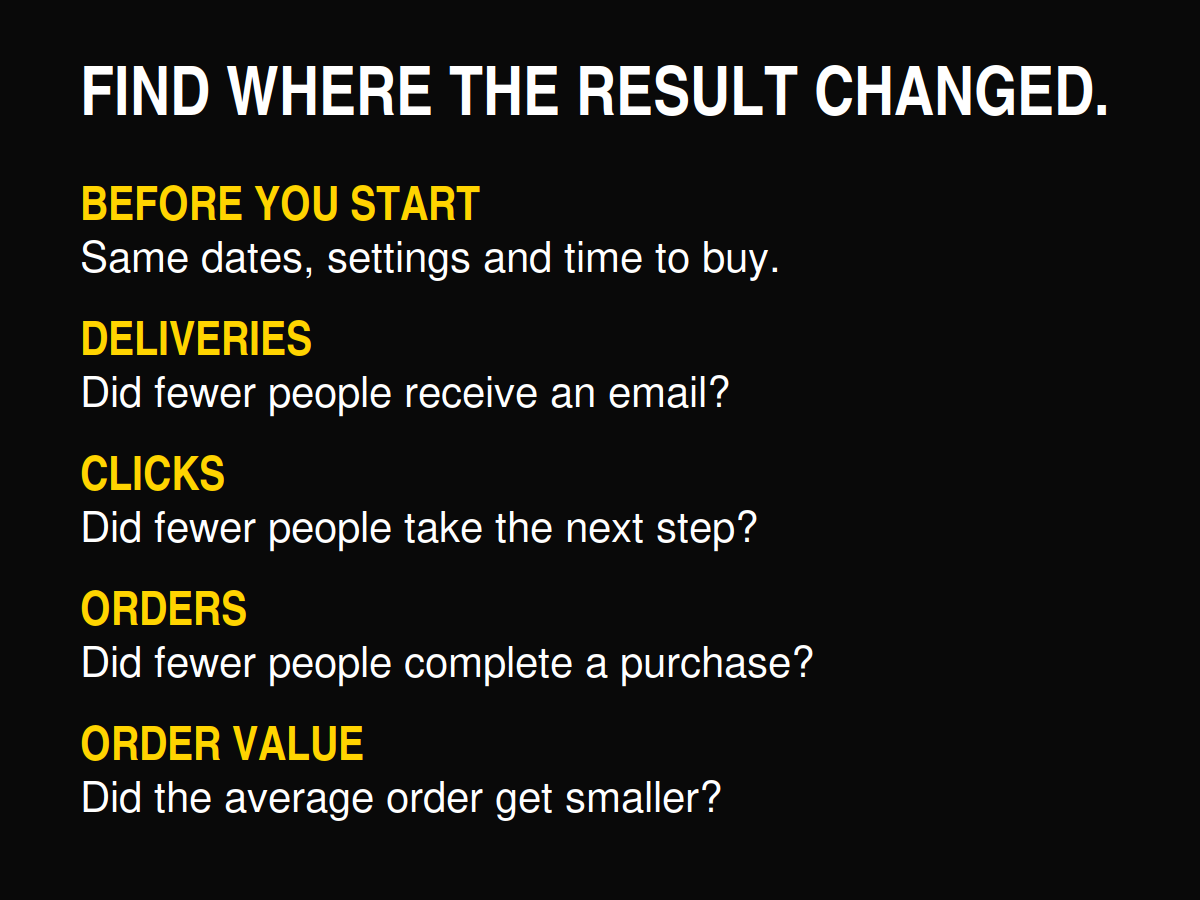
Once the comparison is fair, follow the buying journey:
- Did fewer people receive an email?
- Did fewer people click?
- Did fewer people buy?
- Did the average order get smaller?
This is a way to investigate, not a formula for reconstructing the platform’s attributed revenue. Some credited buyers do not click. Tracking can miss activity. People use more than one channel.
You are looking for the largest useful clue, not forcing the report into a neat equation.
1. Did fewer people receive an email?
Compare delivered emails and the number of sends before judging the rates.
If you ran fewer campaigns or sent to a smaller group, lower total revenue may partly reflect lower reach. The email might still have worked well for the people who received it.
Look at what changed:
- Did you skip a campaign?
- Did a segment become smaller?
- Did a flow stop sending, or did fewer people enter it?
- Were more messages skipped or suppressed?
- Did bounces increase?
Separate campaigns from flows. A quieter campaign calendar and a broken welcome flow should not disappear inside the same total.
Then compare revenue per recipient alongside total revenue. Klaviyo defines this as attributed revenue divided by recipients for the selected period. It helps separate how many people you reached from how much attributed revenue each recipient produced. Klaviyo’s campaign analytics guide
Fewer deliveries do not automatically mean a deliverability problem. You may simply have sent less. And successful delivery does not guarantee the email reached the primary inbox.
Check the actual cause before trying to fix your reputation by sending another campaign.
2. Did fewer people click?
Look at both the number of people who clicked and the click rate.
Fewer clicks with a similar click rate may follow a smaller send. A falling click rate across comparable campaigns deserves a closer look at the audience, message and offer.
Ask:
- Did these people have a reason to care about this product?
- Did the email give them a clear reason to visit the site?
- Was the main action obvious on a phone?
- Did the subject line promise something the email did not deliver?
- Did all the important links work?
Before comparing clicks, check that bot filtering has not changed. Klaviyo specifically recommends checking whether bot clicks were removed when investigating a sudden click decline. Klaviyo’s campaign analytics guide
A security scanner becoming less visible in your report is not the same thing as customers losing interest.
Open rate can add context. It cannot tell you on its own why fewer people took the next step. Our ecommerce email scorecard explains how to read the wider result.
3. Did people click, then fail to buy?
Healthy clicks and fewer orders should send you to the website.
Open the actual campaign link on a phone. Follow it all the way to checkout.
Check:
- The landing page shows the same product and offer as the email.
- Popular sizes, colours or versions are in stock.
- The discount works and its terms are clear.
- Delivery costs do not create an unpleasant surprise.
- The page loads and checkout works.
- Customers can use the payment methods they expect.
Then inspect where people left, using the site data you have. Did product visits hold steady while add-to-cart activity fell? Did checkouts start but orders fail to follow?
Do not assume every click came from a buyer. A useful article, a curiosity-led headline and a final-hours offer do different jobs. Compare campaigns with a similar purpose.
But do not keep rewriting the email if the product is sold out. The copywriter cannot restock the warehouse.
4. Did the average order get smaller?
Sometimes people keep buying. They just spend less.
Compare order count and average order value using the same revenue definition and reporting period. Check how discounts, refunds, shipping and taxes are treated before mixing reports.
Then look at what sold:
- Was the featured product cheaper?
- Did a larger discount reduce the amount paid?
- Did customers buy one item instead of a bundle?
- Were higher-priced products unavailable?
- Did a promotion attract a different type of purchase?
Lower revenue with a similar number of orders is not automatically a weak email. It may be the result of the offer or product mix.
Revenue is not profit, either. Before increasing a discount to recover the headline number, check what the extra orders would actually leave you with.
Write down the finding before choosing the fix
Use one short note:
What changed → what supports it → what we will check or change next.
For example:
“Clicks held steady across comparable sends, but orders fell. The promoted product’s main sizes sold out. Next time, confirm stock before sending and choose an available alternative.”
That is an illustrative example, not a client result.
A weaker note would be: “Email revenue is down. Test more subject lines.”
The second one is certainly shorter. Unfortunately, it skips the useful bit.
If several things changed, start with the clearest problem you can act on. Record the baseline, make one useful change and review comparable results after enough time has passed.
Find the problem before you redesign the email
A revenue drop is a reason to investigate. It is not a diagnosis.
Check the report. Then deliveries, clicks, orders and order value. Find where the result changed before deciding what needs work.
You may need better copy. You may need a working link, more stock or a fairer comparison.
Find out first.
Get the free Email Revenue Audit to review what you send, who receives it, how often you send and how you judge the result.